Edit your local site by asking
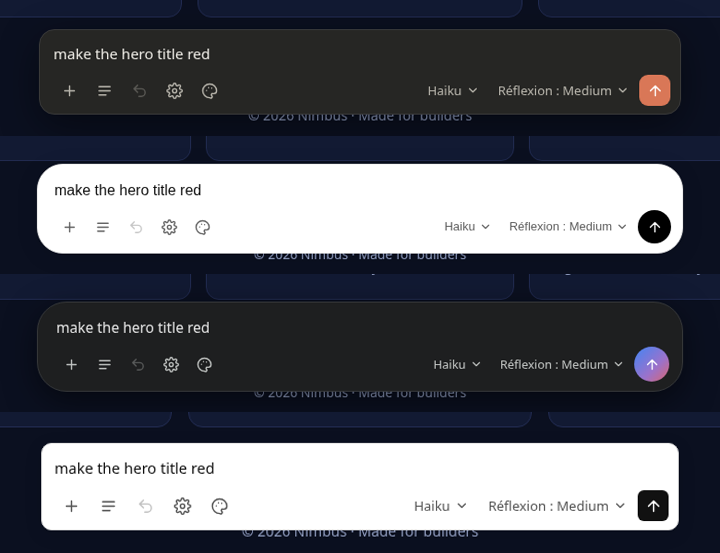
A floating prompt bar for any local website. Type a change, the model of your choice edits your real files, and the page reloads.
A real, unedited first run: setup, add a site, ask for a change, undo, switch theme.
Everything stays where it belongs
Your files, your models, your browser. LiveQuill only adds a bar on top, and nothing is written to your project to make it appear.
Real file edits
The model searches, reads and edits the project with sandboxed tools, then the page reloads on its own.
One-click undo
Every file is backed up before it is touched. Undo restores the last request, even for CLI agents.
Live answers
The panel streams what the model says, the tools it calls and the files it changes.
All your sites
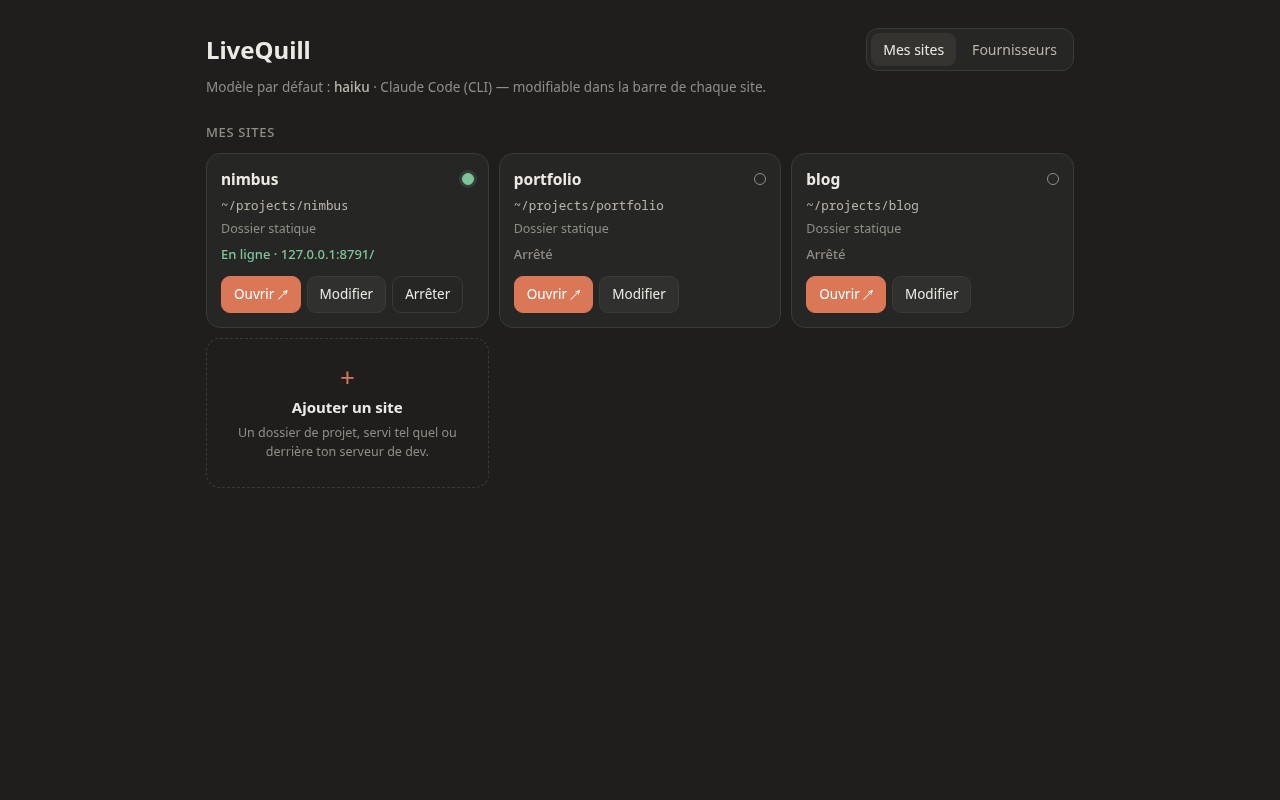
A dashboard lists your projects. Serve a folder as-is, or sit in front of Vite, Next or Astro.
Any model
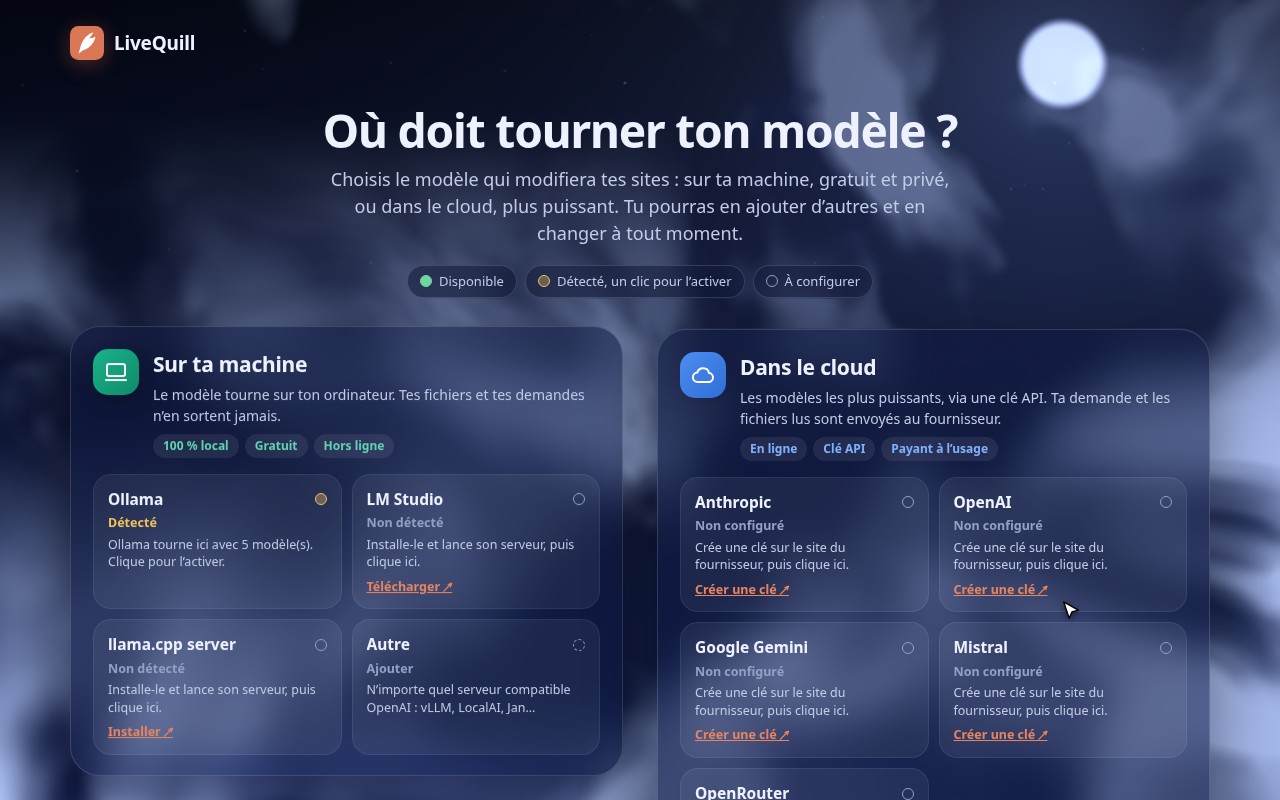
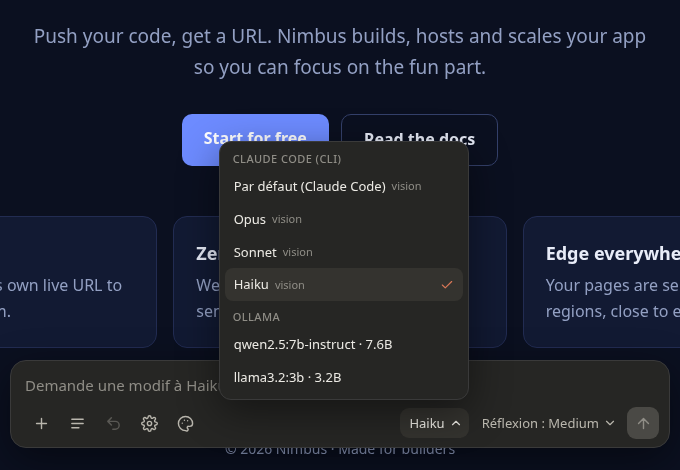
Switch between cloud APIs, local models and CLI agents from the same menu, without restarting.
Looks like home
Claude, ChatGPT, Gemini and Minimal themes, in light and dark, following your system.
Bring your own model
Cloud, local or the coding agent you already pay for, even if you only have the Claude Desktop or ChatGPT app. Adding a provider is one adapter file.
Coming next
Two improvements are planned. Follow the repository to see them land.
Automatic snapshots
A timeline of every change, each with a preview: a thumbnail of the page, the request behind it and the files it touched. Check any version live, then restore it in one click.
Dynamic sites, mock database
Sites with a backend, plugged into a disposable database seeded with demo data, so the model edits data-driven pages without touching real data.
Get started in a minute
Python 3.10+ and nothing else. No build step, no package to install in your project.
- Clone and run. The first launch opens the setup page in your browser.
- Pick a provider. Paste an API key, or use Ollama or a CLI agent detected on your machine.
- Add a site. Choose a project folder, or the URL of your dev server.
- Open it and ask. “Make the hero title red.” Watch it change, undo if you don’t like it.
# get LiveQuill git clone https://github.com/Ybucaille/livequill.git cd livequill # start the dashboard ./bin/livequill # or open a project directly ./bin/livequill ~/projects/my-site ./bin/livequill --proxy http://localhost:5173 ~/projects/my-app
Local first, locked down
LiveQuill lets a model touch your files, so the guard rails are not optional.